
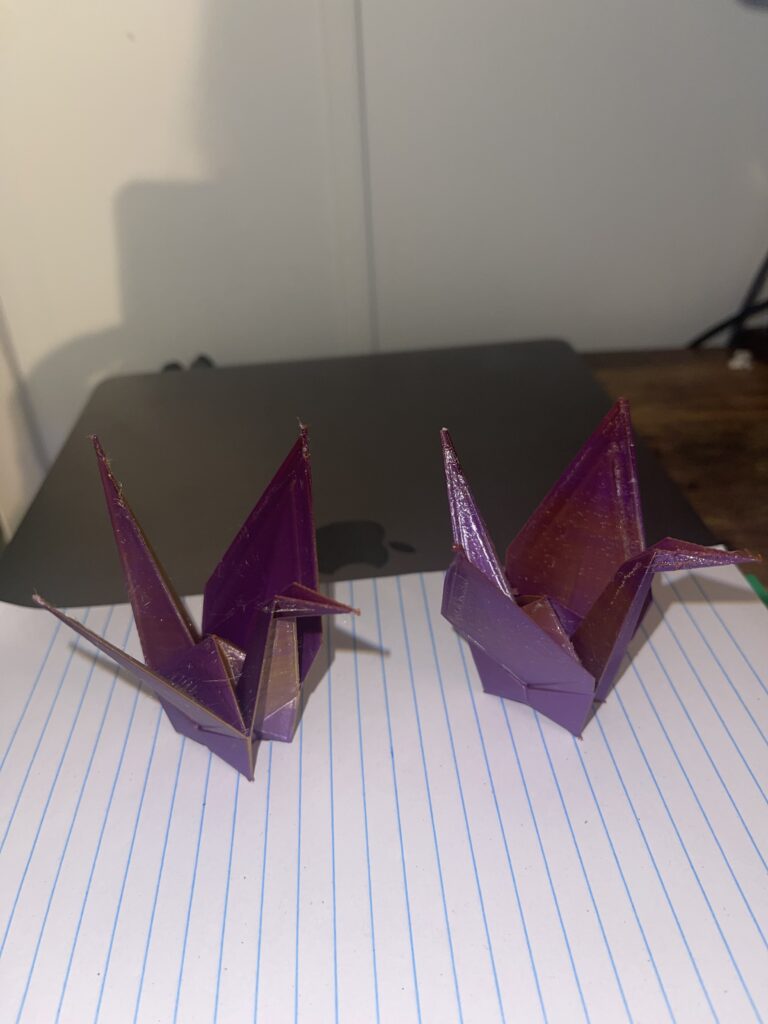
I recently completed a fun 3D printing project creating origami cranes using multicolor filament, and I wanted to share my experience and results with you!
The Printing Process
For this project, I chose a vibrant multicolor filament to give these delicate crane models some extra visual appeal. The color transitions add a beautiful, artistic quality that complements the traditional origami design perfectly.
Lessons Learned
The first crane I printed came out with some noticeable imperfections. I encountered issues with bumpy surfaces and excessive stringing, which detracted from the smooth, elegant lines that origami cranes are known for. These print quality issues were frustrating initially, but they provided valuable troubleshooting experience.
After some investigation, I realized the culprit was likely moisture absorption in the filament. Humidity can significantly impact print quality, causing issues like stringing, bubbling, and poor layer adhesion.
The Solution
I took the time to properly dry the filament before attempting the second print. The difference was remarkable! The second crane printed much cleaner, with significantly reduced stringing and a smoother overall finish. The layers adhered better, and the intricate details of the origami design came through beautifully.
Final Thoughts
This project reinforced an important lesson: filament storage and preparation matter just as much as proper printer settings. If you’re experiencing unexpected print quality issues, checking your filament’s moisture content should be one of your first troubleshooting steps. The results speak for themselves!